ChatGPT Ads Context Hints: What They Are and How to Write Them
Advertisers familiar with search advertising may assume that context hints work like traditional advertising keywords. However, OpenAI explains that context hints help guide ad matching but are not exact-match keywords.
1. What Are Context Hints in ChatGPT Ads?
Context hints are added at the ad-group level in ChatGPT Ads. They can describe conversations, topics, or keywords where a product or service may be relevant.
OpenAI’s Ad Groups documentation describes context hints as additional information about when an advertiser thinks an ad might be useful. Advertisers can provide a list of descriptions or keywords for situations in which the product or service might be useful to show.
Context hints can describe:
- What the product offers
- Who the product helps
- When the product may be useful
They can also add information beyond the ad title and ad copy. This additional information can clarify the conversations, needs, and topics connected to the ad group.
2. Context Hints vs. Search Advertising Keywords
Context hints and search advertising keywords may look similar because both can contain short terms. However, they provide different information to their respective advertising systems.
| Basis | Search advertising keywords | ChatGPT Ads context hints |
|---|---|---|
| Purpose | Help match ads with search terms | Help guide when an ad may be relevant to a conversation |
| Format | Use words or phrases | Can use descriptions or keywords |
| Matching options | Can use broad, phrase, or exact match types | Do not use traditional keyword match types |
| Information described | Relate to terms used in searches | Can describe conversations, topics, needs, situations, or keywords |
| Delivery effect | Help determine which searches can match the keyword | Do not guarantee delivery for particular words, topics, audiences, situations, or conversations |
3. How Context Hints Contribute to Ad Matching
The ChatGPT advertising system considers multiple signals when selecting ads. These ad-selection signals include:
- The context and intent of the current conversation
- The ad’s landing page
- The ad title
- The ad copy
- Advertiser-provided context hints
- Targeting selections
- Select signals from the user’s broader ChatGPT experience when ad personalization is enabled
Context hints are one of several signals that can inform ad selection.
When more than one ad is eligible, relevance and advertiser bids are among the factors that can affect the order of eligible ads.
4. How to Write Context Hints
Start by identifying the product, the need it addresses, and the situation in which it may be useful. Use this information to write a clear context hint for the ad group.
When writing the hint:
- Add details that are not already clear from the ad title, copy, or landing page
- Connect a product feature with a relevant customer need or use case
- Describe a need or situation instead of using only a broad audience label
- Write a clear and natural phrase instead of disconnected terms
- Include only use cases that relate to the product or service
- Keep the hint focused on the ad group’s main product, theme, or intent
For example, suppose a business sells office chairs.
Basic term:
office chairs
Possible context hint:
People looking for a comfortable office chair for long hour of desk work.
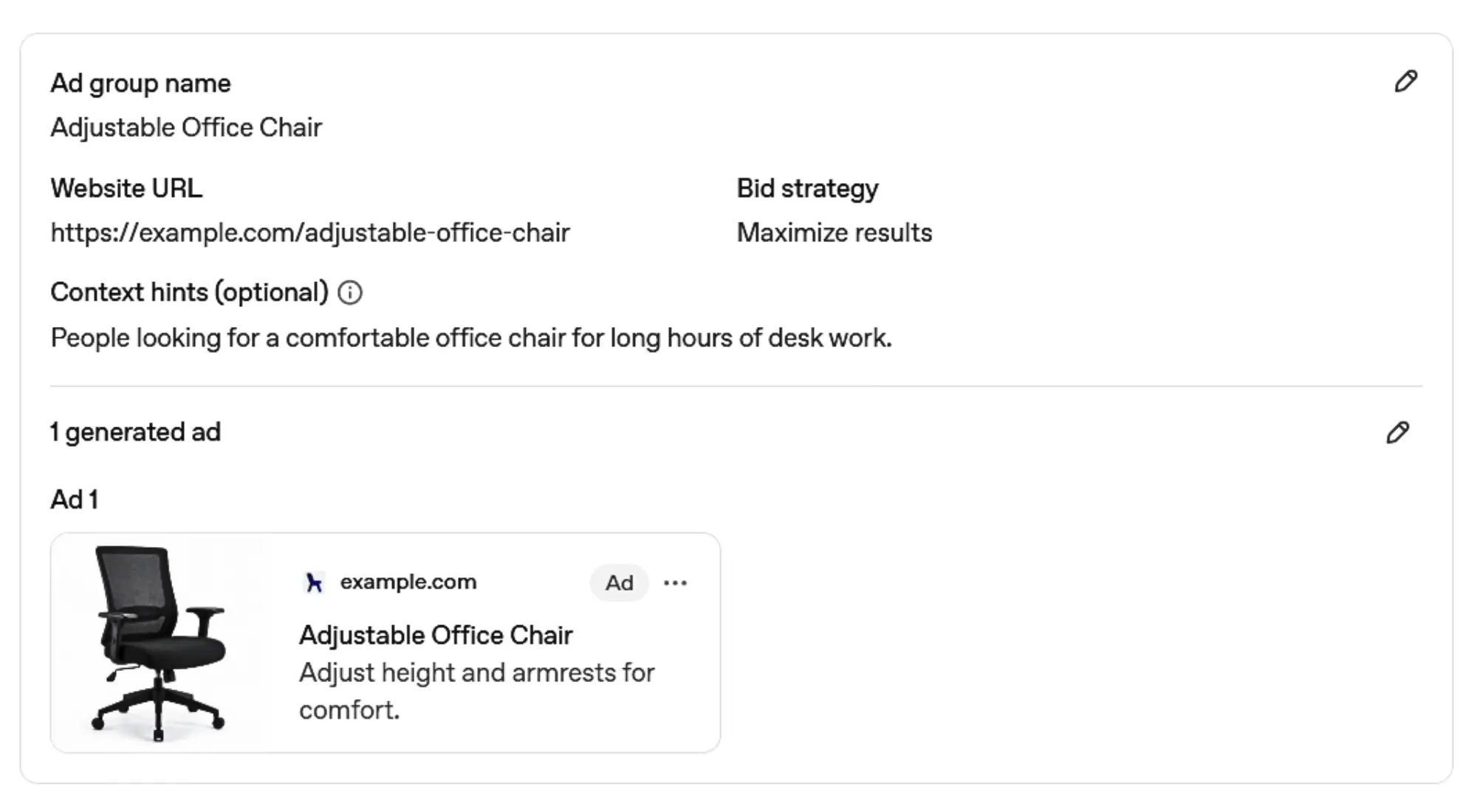
The basic term identifies the product. The context hint adds information about a situation in which the product may be useful.
5. How to Organize Context Hints in Ad Groups
An ad group can include multiple context hints. Keep hints for the same product or service together, with each hint describing a different but related customer need or situation.
For example, a walking-shoes ad group could include:
- supportive footwear for people who stand all day
- lightweight shoes for travel and sightseeing
- extra cushioning for people with sore feet
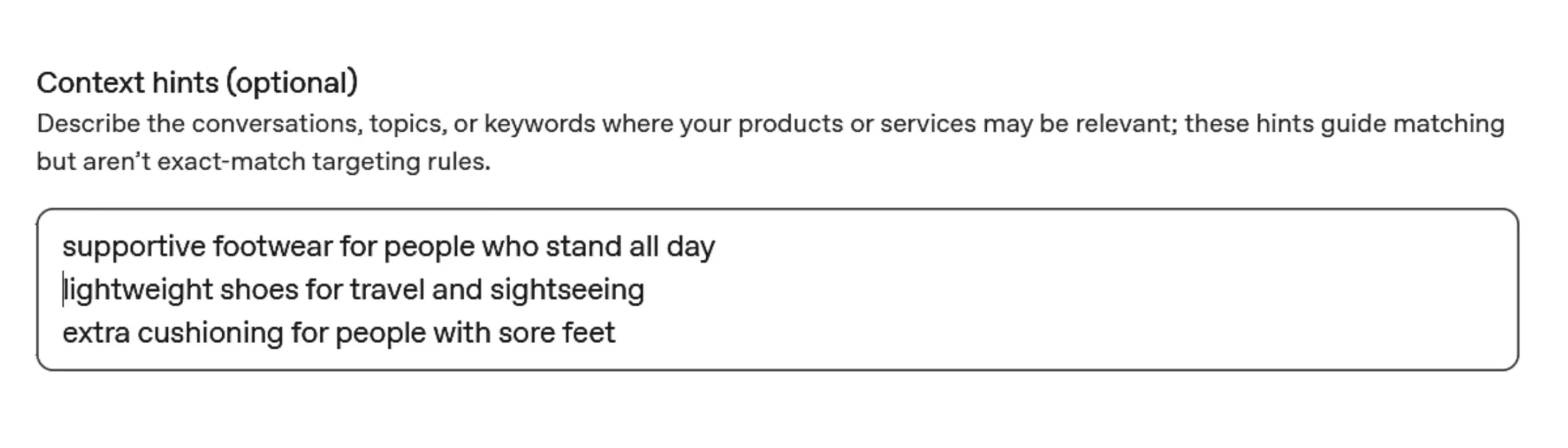
All three hints describe different situations, but they remain connected to walking shoes.
Consider Separate Ad Groups for Different Offers
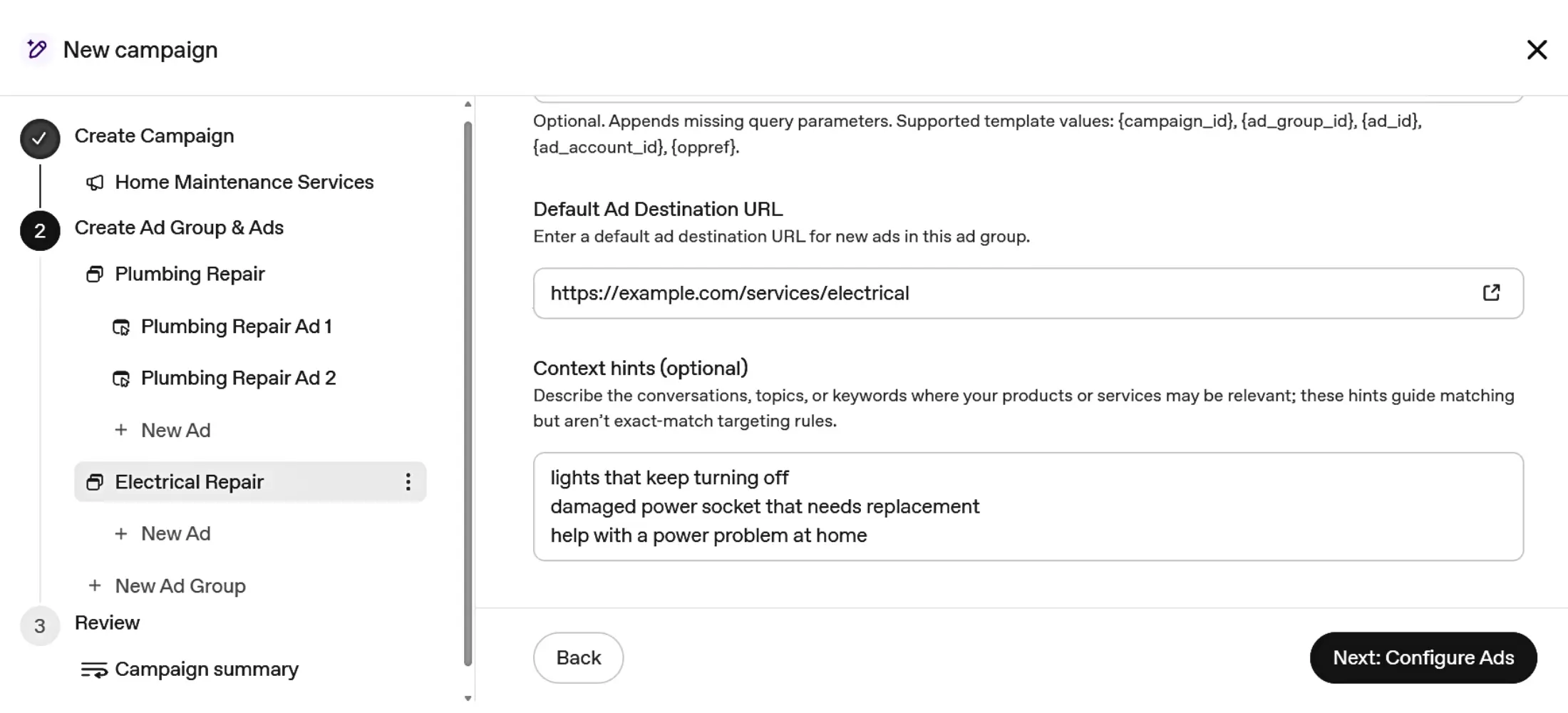
Use separate ad groups when the hints relate to meaningfully different products, services, or use cases.
For example, a home-repair business may offer both plumbing and electrical services. Instead of mixing context hints for both services in one ad group, it can use one ad group for plumbing repairs and another for electrical repairs.
6. Frequently Asked Questions About Context Hints
How many context hints can be added to an ad group?
OpenAI’s Bulk API documentation states that an ad group can support up to 2,000 context hints.
This is a technical maximum, not a recommended number. The current documentation does not specify how many context hints advertisers should normally use in each ad group.
Are context hints required?
No. OpenAI’s Ad Groups documentation lists context_hints as an optional field, so an ad group can be created without them.
Can context hints be changed later?
Yes. OpenAI allows advertisers to update the context hints of an existing ad group, making it possible to revise or replace them when needed.
Can context hints be managed in bulk?
Yes. OpenAI’s Bulk API allows advertisers to update context hints across multiple ad groups in one bulk job.