Context hints are an important part of an ad group in ChatGPT Ads. When written well, they help describe the customer situations in which an ad may be useful.
Unlike exact-match keywords, context hints can describe the broader situation behind a conversation.
1. What Are Context Hints in ChatGPT Ads?
Context hints are descriptive phrases added to an ad group in ChatGPT Ads. They provide extra information about when an ad may be useful and help guide when it appears.
According to OpenAI’s Ad Groups documentation, advertisers can use descriptions or keywords for situations in which their product or service may be useful.
Suppose a business sells office chairs.
Basic term: office chairs
Possible context hint: choosing a comfortable chair for working all day
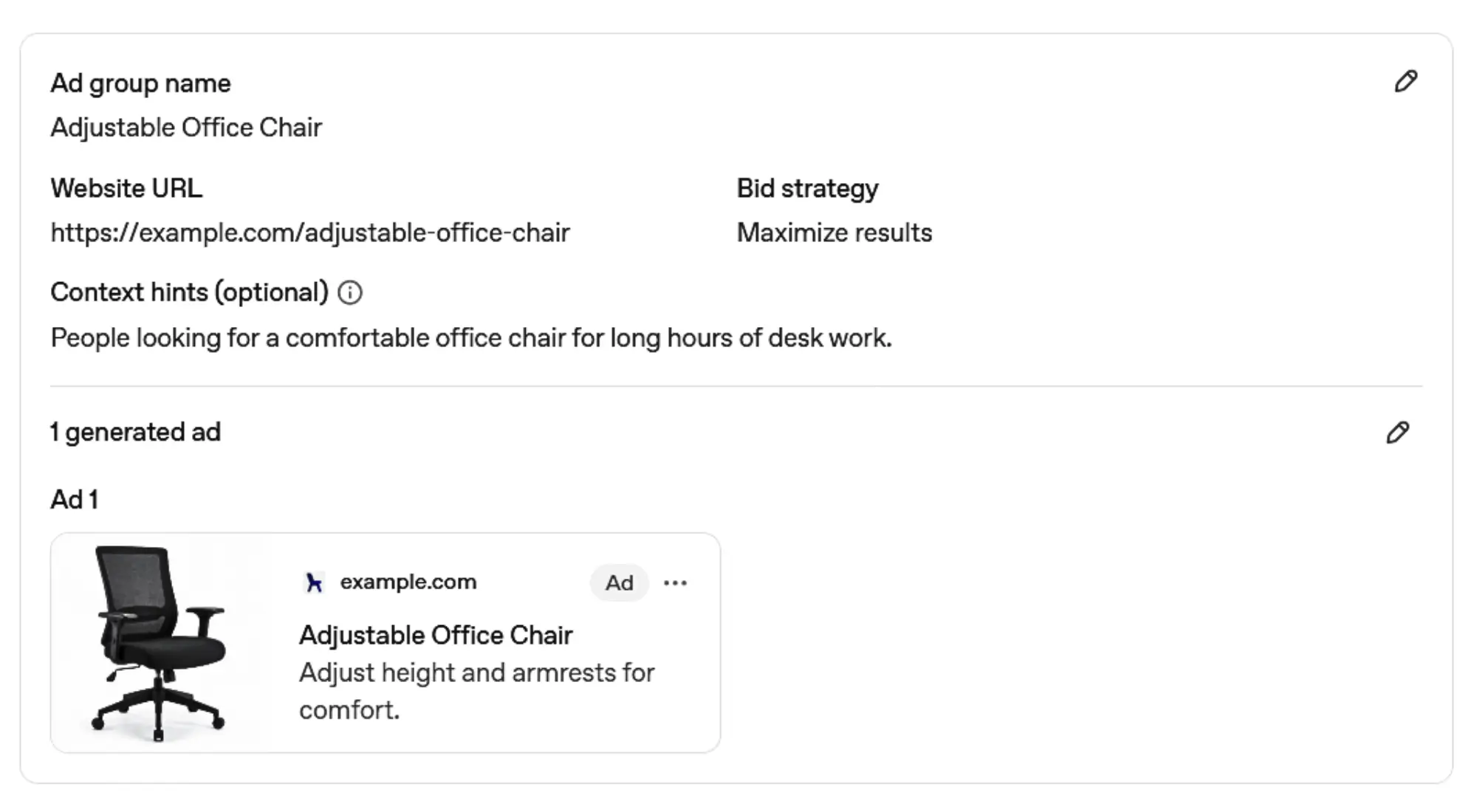
The basic term identifies the product. The context hint adds the situation in which someone may need it.
2. How Context Hints Work
After you add context hints to an ad group, they give the system more information about the conversations in which your product or service may be useful.
The system may consider the meaning and intent of the conversation along with context hints and other eligible signals.
The process can be understood through this simple flow:
User Conversation
↓
Context and Intent
↓
Multiple Relevance Signals
↓
Eligible Ads
The user does not need to type the exact words used in a context hint.
For example, an advertiser may add:
lightweight suitcase for a short trip
A user might ask:
“What type of suitcase is easy to carry on a weekend trip?”
The words are different, but both describe a similar need. The context hint can help the system understand this connection and guide ad relevance.
Context hints should not be treated as exact-match targeting rules. Adding one does not guarantee that an ad will appear in a particular conversation.
3. Ways to Write Better Context Hints
Context hints give the system information about situations in which you think your offer may be useful. They are not the promotional title or description shown to customers.
The following points explain how to write them clearly.
3.1 Describe the Need Behind the Product
Start by thinking about why someone may need your product. Naming the product alone may not explain the customer’s situation.
Suppose your ad group promotes walking shoes.
Product: walking shoes
Customer situation: Someone needs comfortable footwear for long walks.
Possible context hint: comfortable shoes for long walks
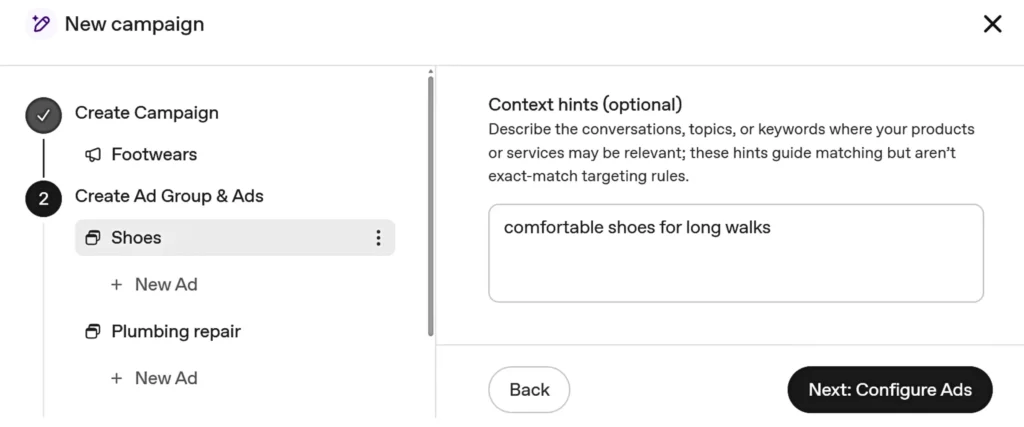
This phrase gives the system information about both the product and the need behind it. It stays focused on the situation instead of trying to sell the product.
3.2 Use Natural, Descriptive Phrases
Write each context hint as a neutral phrase that clearly describes a useful situation.
Compare these examples:
Promotional copy: Buy the best walking shoes today
Possible context hint: finding comfortable shoes for daily walking
The first phrase sounds like an advertisement. The second tells the system about a situation in which the product may be useful.
Context hints do not need to follow one fixed sentence style. Use the wording that sounds natural and communicates the intended situation clearly.
3.3 Keep the Meaning Clear but Flexible
A context hint should provide enough information to explain the situation without becoming too broad or too narrow.
For example:
Too broad: shoes
Clear: walking shoes for wet weather
Too detailed: blue waterproof size-eight shoes for walking at 7 a.m. every Sunday
The broad version only names a general topic. The detailed version includes information that is not important to the main need.
The clear version describes the product and the situation while leaving room for similar customer needs.
3.4 Cover Different Customer Needs
People may consider the same product for different reasons. Your set of context hints can represent these separate needs.
For a walking-shoe ad group, useful hints could include:
- supportive footwear for people who stand all day
- lightweight shoes for travel and sightseeing
- extra cushioning for people with sore feet
- shoes with reliable grip for uneven paths
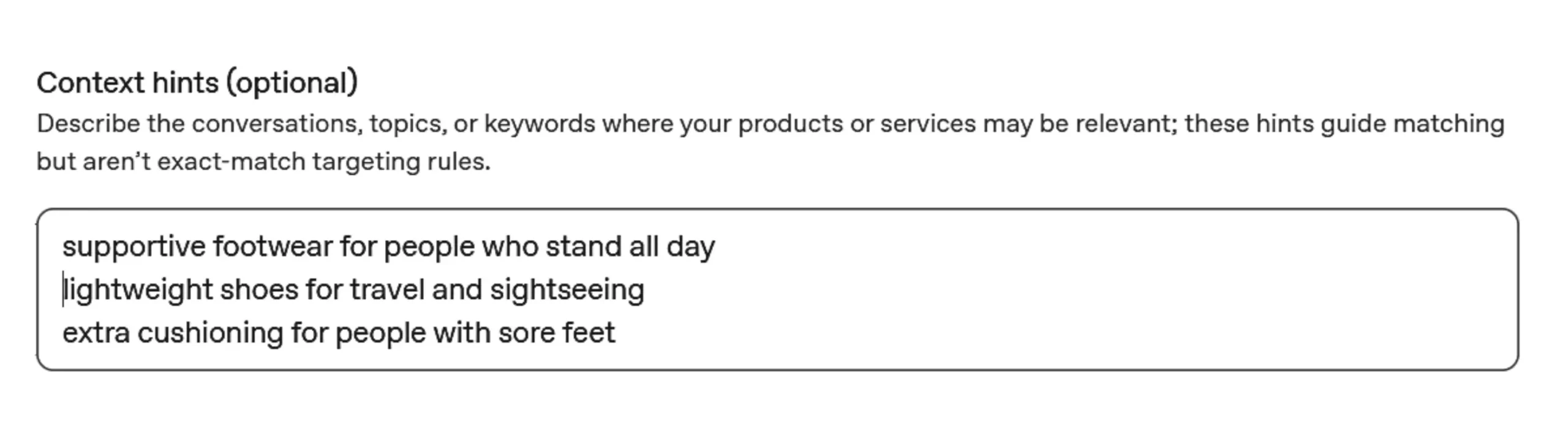
All these hints relate to walking shoes, but each describes a different situation. This creates a more useful set than repeating the same idea with slightly different words.
3.5 Use Customer Questions to Find Useful Situations
Think about the questions customers may naturally ask when looking for your product. Remove the question wording and keep the main situation.
| Customer Question | Possible Context Hint |
|---|---|
| What shoes are suitable for wide feet? | comfortable walking shoes for wide feet |
| Which shoes stay comfortable in hot weather? | breathable shoes for walking in warm weather |
| What shoes are easy to put on before a short walk? | easy slip-on shoes for everyday walks |
The context hint does not need to copy the complete question. It only needs to describe the main situation clearly.
3.6 Review the Hints as a Complete Set
Read all the context hints together before adding them to the ad group.
Check whether:
- every hint describes an understandable situation
- all hints relate to the same product or service
- each hint adds a different customer need
- the wording sounds natural and neutral
- no hint reads like promotional ad copy
The complete set should give the system useful information without repeating the same meaning several times.
4. How to Organize Context Hints
A practical way to organize context hints is to keep each ad group focused on one main product or service. This makes the context hints easier to organise and keeps unrelated customer needs separate.
Suppose a home repair business offers plumbing and electrical services. Customers may discuss different problems for each service. The business can use one ad group for plumbing-related situations and another for electrical problems.
Plumbing repair ad group:
- urgent help for a leaking pipe
- blocked kitchen drain that needs repair
- toilet that is not flushing properly
Electrical repair ad group:
- lights that keep turning off
- damaged power socket that needs replacement
- help with a power problem at home
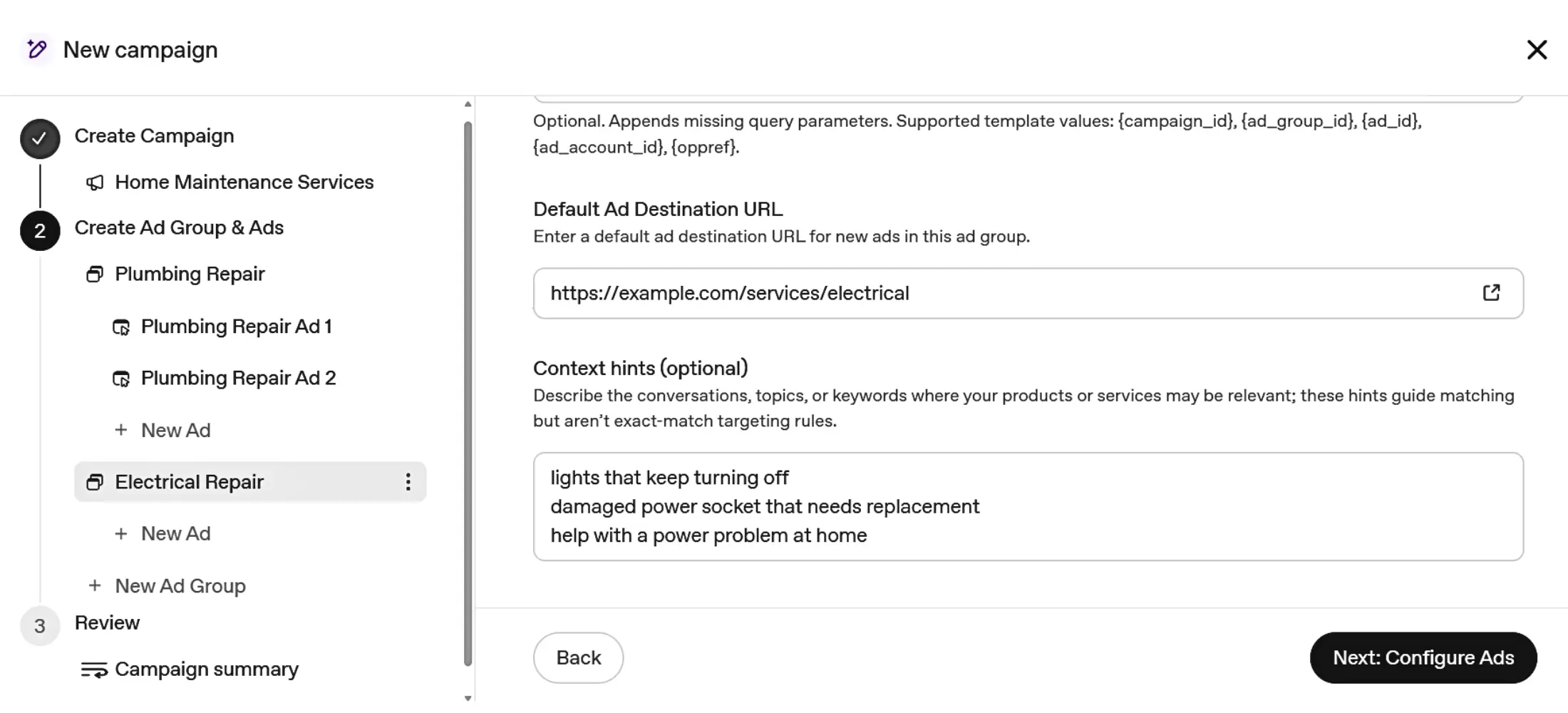
This separation can keep each hint relevant and prevent unrelated situations from being mixed together.
5. Frequently Asked Questions About Context Hints
How many context hints can be added to an ad group?
OpenAI’s Bulk API documentation states that an ad group can support up to 2,000 context hints.
This is a technical maximum, not a recommended number. The current documentation does not specify how many context hints advertisers should normally use in each ad group.
Are context hints required?
No. OpenAI’s Ad Groups documentation lists context_hints as an optional field, so an ad group can be created without them.
Can context hints be changed later?
Yes. OpenAI allows advertisers to update the context hints of an existing ad group, making it possible to revise or replace them when needed.
Can context hints be managed in bulk?
Yes. OpenAI’s Bulk API allows advertisers to update context hints across multiple ad groups in one bulk job.